Need a replacement handset? This guide explains how U.S. government phone programs can help eligible households get affordable mobile service and devices, including SafeLink Wireless, Assurance Wireless, StandUp Wireless, Access Wireless, and True Wireless. It also reviews what each provider typically includes, how to apply, and practical steps to choose the right plan—objectively and without hype.
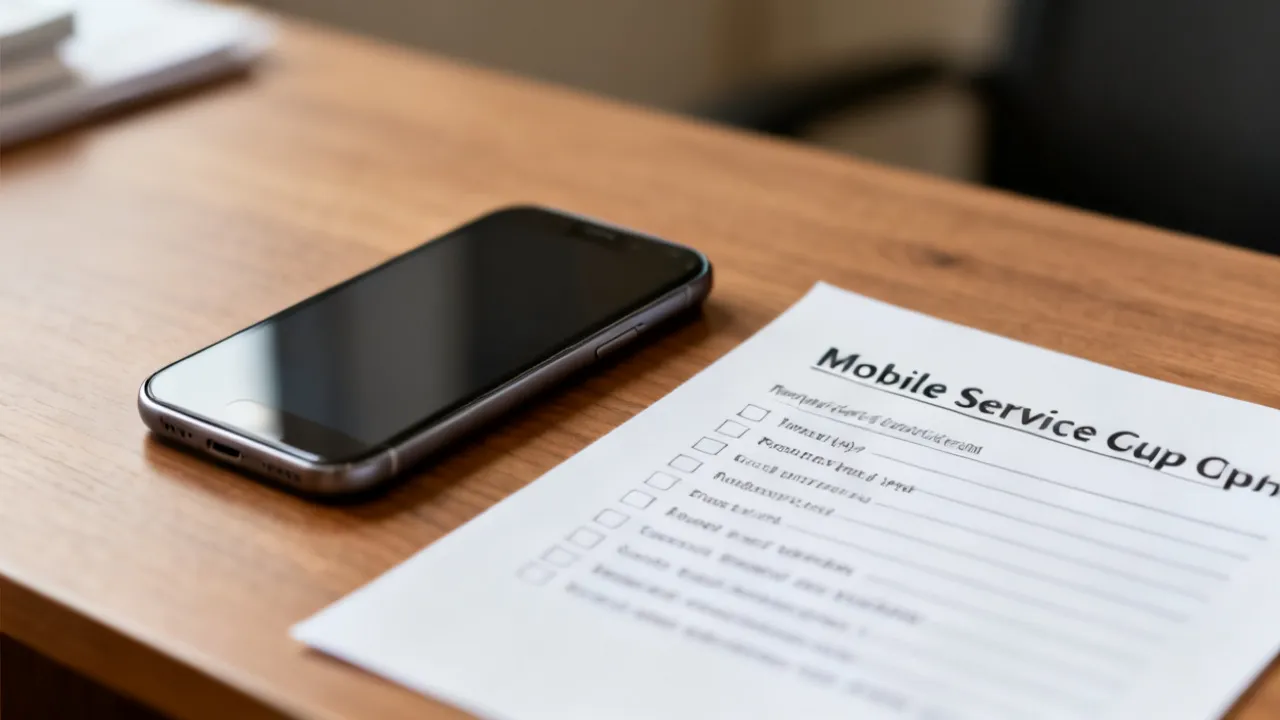
If your current phone is damaged, outdated, or unreliable, “I Need a New Phone” is often the moment to compare two realities: (1) the device and service you actually need day-to-day, and (2) whether you qualify for a government-supported program that can reduce upfront costs. In the United States, several Lifeline-supported providers—such as SafeLink Wireless, Assurance Wireless, StandUp Wireless, Access Wireless, and True Wireless—offer handset options and mobile service plans that may help eligible customers secure communication coverage under program rules.
But the key is not just getting “any” cheap phone. The right plan is the one that matches your real usage: dependable voice and texting, data that won’t run out immediately, reliable network coverage where you live and work, and a handset that can handle your essential apps (including banking and two-factor authentication). If your phone is failing, you may be tempted to rush through enrollment—but rushing often creates avoidable problems: delays caused by missing documentation, mismatched expectations about data speeds or data caps, or device activation issues. A smarter approach is to prepare eligibility information up front, choose the provider that best fits your needs, and confirm device and plan options before you hit submit.
From an industry perspective, government-supported phone programs are designed to bridge a communication gap for low-income households. Instead of focusing on premium features, they typically prioritize baseline connectivity: voice and text are usually included, and data is offered either as limited high-speed data, a defined allowance, or a plan structure that may include throttling once you exceed a certain threshold. The exact device model, data allotment, and available upgrades can vary by state and plan configuration, which is why eligibility verification and careful plan review matter.
In many households, a phone isn’t just a convenience—it’s a critical tool for staying connected to jobs, healthcare providers, school communications, benefits updates, and safety checks. When a phone breaks, it can affect more than messaging; it can interrupt appointment reminders, confirmation codes, and access to transportation or assistance programs. Government-supported programs aim to reduce these disruptions by lowering monthly service costs and, for eligible participants, offering affordable handset options.
Another goal is stability over time. While different plans may vary in speed and device selection, the broader structure supports consistent service—assuming the participant maintains eligibility and completes required recertification steps. For applicants, that means you should view enrollment as a process with ongoing requirements, not a one-time purchase. It’s still a big help to start with a secure voice/text connection and enough data for the apps you rely on most.
When people begin looking for government-supported options after realizing they need a new handset, they commonly find these five branded providers. Each can be part of the Lifeline ecosystem, and each may support “device + service” or “bring-your-own-device (BYOD)” pathways depending on eligibility and program rules.
Even when providers are under the same general eligibility umbrella, differences can be significant. Some may emphasize a particular handset model availability in your area; others may offer clearer BYOD instructions; others may handle documentation verification in a slightly different workflow. The practical takeaway is that you should compare the provider pages that correspond to your situation, rather than choosing based solely on reputation.
Below is a compact, provider-oriented comparison. Availability and pricing details can differ by location and plan type, so treat this as a structural overview—not a final quote. For the very accurate details, review each provider’s official plan page and eligibility instructions.
Also note: the phrases “unlimited talk and text” can sound simple, but your lived experience depends on network coverage and call-quality in your area. Likewise, the phrase “data” can mean different things in different plans: some plans offer a set amount of high-speed data and then slow down, while others may have a tier system or reduced throughput. That difference is important when you depend on maps, video calling, or large file attachments.
| Provider (official site) | Typical included services in government-supported plans | Potential additional package costs (examples) |
|---|---|---|
| SafeLink Wireless | Unlimited talk and text; data is offered depending on the plan/state; may provide a handset option for eligible customers or BYOD | Premium device upgrades; additional data options may cost extra depending on program rules |
| Assurance Wireless | Affordable Android smartphone option for eligible customers; unlimited talk and text; data allowances per plan | Optional upgrades (e.g., higher high-speed data) or other add-ons; international calling features may be optional |
| StandUp Wireless | Affordable smartphone or BYOD options; unlimited talk and text; data plan structure depends on eligibility and state | Premium phone upgrades or extra data packages may require payment |
| Access Wireless | Unlimited voice and text; limited high-speed data tiering tied to Lifeline/related benefits | Data boosts and device upgrades may involve additional fees |
| True Wireless | Government-supported phones/lines for eligible participants; voice and data offerings based on qualification and plan | Optional upgrades to better devices or additional data plans may cost extra |
source: https://www.safelinkwireless.com
source: https://www.assurancewireless.com
source: https://standupwireless.com/
source: https://www.accesswireless.com
source: https://www.gotruewireless.com/
Note: The comparison above is derived from provider-facing descriptions. Device models and data allotments can change, and some details depend on verification and state-specific program configurations.
If you’re actively searching for a solution because you need a new phone, the very time-saving approach is to prepare your eligibility information first. Very providers follow a similar pattern: you apply online, upload or submit required documentation, and wait for verification. In addition, ongoing compliance may be required to keep the service active (for example, recertification at intervals depending on program rules).
Because the phone itself is often part of a “service enrollment” package, the program usually treats the device as something you can only receive after certain steps are verified. That means the best way to reduce waiting time is to have everything ready—especially the eligibility proof that the provider will request. It’s also helpful to ensure your contact information is correct and reachable, because verification steps may require follow-up.
In many cases, the provider will also check that you are not already receiving duplicate Lifeline benefits elsewhere. You typically can’t receive more than one Lifeline benefit line at a time for qualifying households. If you accidentally apply twice or have an existing enrollment, the application may stall. So confirm your current status before applying to a new provider.
Providers commonly base eligibility on household income thresholds or participation in recognized government assistance programs. Additionally, residency on Tribal lands can provide extra benefits under program rules.
Eligibility can be based on either income or qualifying program participation. Some applicants find it easier to prove participation (for example, Medicaid, SNAP, SSI) rather than calculating income. Others may have income documentation more readily available. Either path can be valid; the best one is the one you can document quickly and clearly.
Important practical point: even when eligibility thresholds are stated clearly, documentation requirements can vary. Some programs may require evidence of current enrollment (for example, a benefits letter or benefit verification), while income-based eligibility might require pay stubs or other proof. The best strategy is to follow the exact document checklist on the specific provider’s application page.
Although each provider’s workflow may vary slightly, the practical sequence below reflects how very applicants move through government-supported phone enrollment.
In a real-world “I need a new phone” scenario, step order matters. For example, if you apply but your documents are blurry or incomplete, verification can fail and you may need to resubmit. That turns a fast process into a longer wait—especially if your old phone is not working. To avoid that, take the time to scan documents in good lighting, ensure all pages are included, and double-check names and addresses match your application details.
From an operational standpoint, providers generally follow an application → verification → activation model. The very common differences are in the user interface, the documentation portal, and how frequently they require additional clarification. Here’s how those patterns typically show up:
Although these general patterns are helpful, you should still read the exact prompts on the provider’s site during your application. Providers may change their upload requirements or verification flow over time. If you’re preparing now, you can still make life easier by gathering the documents you’re most likely to use (for example: an ID, proof of eligibility, and proof of address where required).
When consumers are in a hurry—especially if their phone is failing—there’s a tendency to focus solely on the device. Industry top practice, however, is to make sure the service will actually fit your usage after you switch. Consider these factors in order:
Think of it like this: the device is the tool, but the plan is the foundation. A great handset on a weak data plan may still feel limiting if you need data for work, navigation, or communication. On the other hand, an adequate data plan may feel “good enough” even if the device is modest, as long as it runs the apps you need and supports reliable connectivity.
Coverage check is especially important if you live in rural areas, move between home and work frequently, or depend on phone signal in buildings with weak reception. Even within the same city, signal can vary by neighborhood and building. If possible, try to test basic network quality before committing to heavy data needs.
If you’re buying or receiving a device, evaluate the tradeoffs: the program may prioritize affordability over the latest hardware. If you have an unlocked device that meets requirements, BYOD can reduce waiting time. If your goal is “I need a new phone” right now, you should consider whether the provider’s device fulfillment timelines align with your urgency.
Handset options can be appealing because you don’t have to worry about compatibility. Still, you may not get to choose the exact phone you want. Some providers offer a limited set of models or assign a device based on availability. If you have a strong preference—say you need a larger screen, a more recent Android version, or a phone with better battery life—BYOD might provide more control, but only if your device is compatible and unlocked.
When choosing BYOD, you should confirm at least the following: (a) your device is unlocked, (b) your device supports the needed network bands for that provider, and (c) the device meets any software requirements. If you’re unsure, contact the provider’s support or check the BYOD eligibility criteria on their official website.
Some plans include limited high-speed data with a different speed experience after you exceed an allowance. Practically, this can affect:
If your work involves real-time video or heavy uploads, you may need to assess upgrade options or select a plan designed for higher data needs (even if that means paying an additional amount).
It also helps to understand how data is consumed. Many people are surprised by how quickly “data” can disappear due to background app activity, automatic updates, photo syncing, and cloud backups. If you enroll in a low-to-mid data plan, it’s worth adjusting settings: disable “auto-play” videos, reduce background refresh, and set your phone to use Wi-Fi for large downloads whenever possible.
Even with a handset option, confirm that the device supports your core needs (messaging apps, banking apps, two-factor authentication apps, email). Older Android versions may still run apps, but compatibility and security updates can be a concern. If you can choose, prioritize devices with an adequate OS version for your very important apps.
Security matters, especially for apps that require recent security updates. Banking and authentication apps sometimes refuse to run properly on very old operating systems or phones missing required security patches. When you receive a handset, check whether you can install your essential apps from the official app store and whether you can log in without repeated verification errors.
Additionally, battery health can be a hidden issue. If your current phone battery drains quickly, a “new” device’s battery matters. When the program allows you to choose models, prefer a device known for good battery life. If you can’t choose, you may still optimize battery performance by limiting background activity and enabling battery saver modes.
Number transfer (porting) is often the moment where things can go wrong if you are not prepared. Before you switch, make sure you know which phone number you want to keep and confirm the account information required for porting. If your current phone is not functioning, you may still need to access certain information or receive verification messages. In some cases, porting can take time, and the service may temporarily be unavailable while the change happens.
For two-factor authentication, plan ahead. Many websites send codes via SMS. If you port your number, you’ll want to ensure you still receive texts during the transition. If possible, set up alternative authentication methods (like authenticator apps or backup codes) before you start the switch. That small preparation can prevent lockouts.
Another frequent issue is assuming “government phone” means “no restrictions.” In reality, you generally must remain eligible and follow program rules. You may also need to respond to verification requests. If you ignore recertification notices, service could be interrupted. So check your mail and ensure your phone number and email (if used during enrollment) remain valid.
It’s also common to run into device activation confusion. Some users expect activation to be instant, but activation can require network provisioning, SIM activation (if applicable), and sometimes a restart of the phone. If you have a new handset, keep it charged, follow activation instructions carefully, and wait the necessary amount of time before concluding activation failed.
If you want to move quickly and avoid common enrollment problems, use a simple checklist. This is not a replacement for the provider’s official instructions, but it can help you prepare so you spend less time redoing paperwork and troubleshooting.
If you do these steps, you’ll likely have a smoother experience. A government-supported phone program is meant to help, but it still requires accurate information and verification workflows.
Many applicants hear “limited high-speed data” and assume it’s essentially unlimited. It can be, but “high-speed” is the important qualifier. In many plans, you may receive a certain amount of data at higher speeds, and after that, your data may slow down. While you can still browse the web and use messaging, video streaming, large downloads, and heavy app updates may feel slow.
To avoid being caught off guard, do these practical steps:
If you anticipate you’ll need more data than the standard allotment, ask the provider whether data boosts are offered and how much they cost. Some plans allow optional add-ons; others may offer a limited number of boost attempts. If you can afford a small add-on when you need it, it can keep you from hitting slowdowns during critical times (job searching, travel, school work).
When choosing a phone through a government-supported program, device models may vary. Some phones may be budget Android devices with adequate messaging and web browsing performance, while others may be older but still functional. Because you may rely on the phone for critical life tasks, it’s wise to consider device characteristics.
Here are the practical device factors that matter in day-to-day use:
Even if you can’t choose a specific device model, you can still reduce problems by setting up your phone correctly after activation. For example, immediately install the essential apps you need, log into accounts, and check whether two-factor authentication works reliably. Doing this early helps if you need to request a replacement device later or adjust settings.
BYOD (bring your own device) can be the fastest route when you already have an unlocked smartphone that’s compatible. But compatibility is not guaranteed. Before you depend on BYOD, check these common requirements:
If you want to reduce the risk of BYOD failure, avoid waiting until the last moment to confirm compatibility. If you’re already without a working phone, you may need another device to complete application steps or activation instructions. Some providers offer customer support to confirm compatibility; use those resources early.
Even within the Lifeline ecosystem, the “provider name” doesn’t always tell you the whole story. The actual experience often depends on the underlying network that provides coverage in your area. If your current phone works poorly in your neighborhood, you might assume the phone is the problem—when in reality it’s coverage or congestion.
Here are ways to think about coverage:
When you choose a government-supported plan, you’re still selecting a service that runs on carrier infrastructure. If your area doesn’t have strong signal on the underlying network, even a new handset may not solve the problem you’re trying to fix.
When someone says “I need a new phone,” they often mean they need service working again as soon as possible. Activation downtime can be frustrating, especially if you need the phone for work, appointments, or family communication.
To minimize downtime:
Because the exact timing can vary, it’s wise to start the process when you have time to troubleshoot. If your old phone is completely dead and you can’t receive texts, you may need to rely on other devices (like a computer or tablet) to receive email-based verification and to complete application prompts.
In many government-supported plan structures, base service is provided and optional features may cost extra. Examples include premium device upgrades, higher high-speed data tiers, or add-ons for certain calling features.
It’s tempting to skip optional features to keep costs at zero. That can be a good strategy if your baseline needs are satisfied. But it can backfire if you discover too late that the data allowance is too low for your daily activities.
To decide whether an upgrade is worth it, evaluate:
When you’re under time pressure, you might be unable to do a long-term test. Still, you can make a reasonable decision by mapping your usage to the plan’s data rules and by checking whether optional data boosts can cover peak periods.
During application and setup, you may submit sensitive information. It’s essential to handle it carefully and avoid scams. When you apply online, use only official provider domains listed on the provider’s website. If you’re contacted by phone, verify the identity of the support representative using official contact channels.
Additionally, after you get your phone, protect your accounts:
This matters because “need a new phone” often happens during stressful moments. When people are stressed, they can fall for incorrect information or feel rushed. Taking a few minutes to confirm you are applying through official channels is a safety step as much as a process step.
Another aspect of “government-supported phone plans” that applicants sometimes miss is ongoing eligibility. Even if you are approved today, you may need to recertify or update information later. If you don’t respond to verification requests or you miss deadlines, you could experience service disruption.
To stay active:
If you’re moving frequently, have unstable mail access, or have trouble responding quickly, consider setting up a plan for receiving mail and checking provider notifications regularly. A small habit—like checking mail once a week—can prevent a larger disruption.
To make the plan selection logic more concrete, consider a few common scenarios. These are not official plan guarantees, but they can help you match your needs to what to look for.
Matching your scenario to the plan’s described data behavior helps reduce disappointment. It also helps you decide whether to prioritize device speed and usability or data capacity first.
Availability depends on provider inventory, state processing, and verification timelines. Some applicants receive a handset after approval and fulfillment; BYOD may reduce waiting time if you already have a qualifying device. For accurate timelines, review the provider’s instructions and contact their support if you’re facing an urgent outage.
If you’re in an emergency situation—like a phone that no longer makes calls or you’re missing key appointment confirmations—try to start with whichever option gets you service fastest. That might be BYOD if your device is eligible, or a provider handset shipment if you don’t have compatibility-ready hardware. In either case, have a backup plan for receiving verification codes and staying reachable, such as using a tablet for web access and signing into important accounts using existing recovery methods.
Very program-aligned plans include unlimited talk and text and some form of data allowance (often limited high-speed data or tiered data structures). Exact data amounts can vary by provider and plan configuration.
In practice, you should also look for whether data is described as high-speed only up to a threshold or whether it includes unlimited data at reduced speeds. This determines whether tasks like video calls or navigation will feel smooth or slower after you use your allotment.
Often, basic service terms are program-supported, but optional upgrades—such as premium device upgrades or extra data boosts—may involve additional charges. The top approach is to confirm any optional add-ons during application or plan selection.
Also remember that some fees may not be “hidden,” but they can show up only when you select a different handset tier or add more data. When you review your plan options, read carefully and note what is included versus what is optional. If you’re uncertain, ask support how costs work for upgrades before you proceed.
You typically apply online with the provider of your choice. During the process, you’ll provide eligibility information and upload required proof (documentation requirements can differ). After verification, the provider proceeds with activation or device shipment instructions.
To reduce delays, make sure the documents you upload are current and readable. If your benefits letter includes multiple pages, upload all requested pages. If you’re applying using online forms, fill out your name and address exactly as shown in your eligibility proof.
Some providers support BYOD depending on device compatibility and program rules. If you already own an unlocked device that meets requirements, BYOD can be a practical path—especially if you need service sooner than device fulfillment timelines.
If BYOD is an option, it’s worth confirming compatibility before submitting your application. Otherwise, you might complete enrollment only to learn later that your device cannot be activated. That can lead to wasted time and additional troubleshooting.
Eligibility is commonly tied to household income at or below 135% of the federal poverty guidelines. For Affordable Connectivity Program (ACP)-related benefits, the commonly stated threshold is 200% of the federal poverty guidelines. Final eligibility rules can vary by program design and state implementation, so confirm on the provider’s official eligibility page.
If you’re unsure whether your income documents qualify, check the provider’s income eligibility instructions. Some programs may require annual income estimates while others use current monthly income. Following the provider’s method matters.
In many government-supported programs, ongoing eligibility checks or recertification can be required. If you keep your contact details updated and respond to provider verification requests, you reduce the risk of service disruption.
Think of it as maintaining eligibility, not simply “set and forget.” Put a reminder on your calendar after approval, and watch for provider notices. If you miss a recertification step, it may cause an interruption that could take time to restore.
Program-supported device models can vary. If you have a specific phone in mind, you may need to check whether upgrades to better devices are offered and what those upgrades cost. Your exact device depends on what’s available through the provider after approval.
To set realistic expectations, ask whether there is any choice of device models for your eligibility tier. If you need a particular feature (such as a larger screen, more storage, or a device capable of running modern security-sensitive apps), ask support how to request a suitable device or whether BYOD is the better route.
Deciding on a new handset is stressful, but you can reduce uncertainty by approaching it systematically: confirm eligibility, select a provider aligned with your state and usage needs, compare handset vs BYOD options, and review how data allowances work in practice. Providers such as SafeLink Wireless, Assurance Wireless, StandUp Wireless, Access Wireless, and True Wireless provide structured routes for eligible households, but the details—especially around data tiers, device options, and optional costs—should be verified using each provider’s official information.
If you remember one guiding principle, make it this: choose the plan that matches your day-to-day requirements, not just the one that seems cheapest upfront. Unlimited talk and text matter, but data behavior matters just as much if you use maps, messaging apps, school platforms, or job sites. And the best “I need a new phone” outcome is the one where you get service quickly, activate successfully, and can actually use your essential apps immediately after switching.
https://www.safelinkwireless.com
https://www.assurancewireless.com
https://standupwireless.com/
https://www.accesswireless.com
https://www.gotruewireless.com/
1) The above information comes from online resources, and the data is as of October 2023.
2) This website cannot guarantee that applicants will definitely get a government affordable phone. For specific application requirements and how to obtain it, please refer to the official requirements of the provider. This website will not be updated in real time.
Striking the Perfect Balance: Navigating Premiums and Out-of-Pocket Expenses in Senior Insurance Plans

Explore the Tranquil Bliss of Idyllic Rural Retreats

How to Make Lasting Memories at Disneyland Attractions

4rkojvsx Technology: Industry Insights and Buying Guide

Affordable Phones and Plans for Seniors

Affordable Full Mouth Dental Implants Near You

Unlock the Top Kept Secrets to Finding Your Ideal Dentist for Flawless Dental Implant Results!

Discovering Springdale Estates

Unveiling RS Sul Telecom Services

Affordable Phones and Plans for Seniors
Discover the top deals on new phones and plans tailored for seniors, including discounts on 5G technology and unsold models.
Affordable Cell Phones Without Plans
Discover affordable cell phones for sale without plans, exclusive discounts for seniors, and tailored mobile plan options in your area.

Navigating Government Phone Programs
This guide provides an expert analysis of government-supported phone programs for eligible individuals, offering insights into available providers and their services. Affordable phones are often a necessity for individuals under economic constraints, aiding in communication, job searches, and access to emergency services. The article delves into eligibility criteria, application processes, and compares popular service providers in various regions.
Unlocking the Top Cell Phone Deals
Discover unbeatable cell phone discounts, plans, and offers for seniors and iPhone enthusiasts without contracts.
Navigating Affordable Phone Offers
Discover the essential details about government-assisted phone programs aimed at providing budget-friendly devices to eligible individuals. These programs offer complementary mobile phones and services to qualified beneficiaries, ensuring connectivity at minimal expense. This guide breaks down how to access such benefits and what conditions apply.
How to Apply for a Affordable Phone
This guide provides insights on how to apply for a affordable phone through government-sponsored programs. Understanding how these programs operate and their eligibility requirements is essential. These initiatives aim to support individuals in low-income households or those enrolled in specified government assistance programs by providing basic communication tools.